Review (rally list)
Opening the Review page
Tap a match card on the home screen.
Reading the rally list
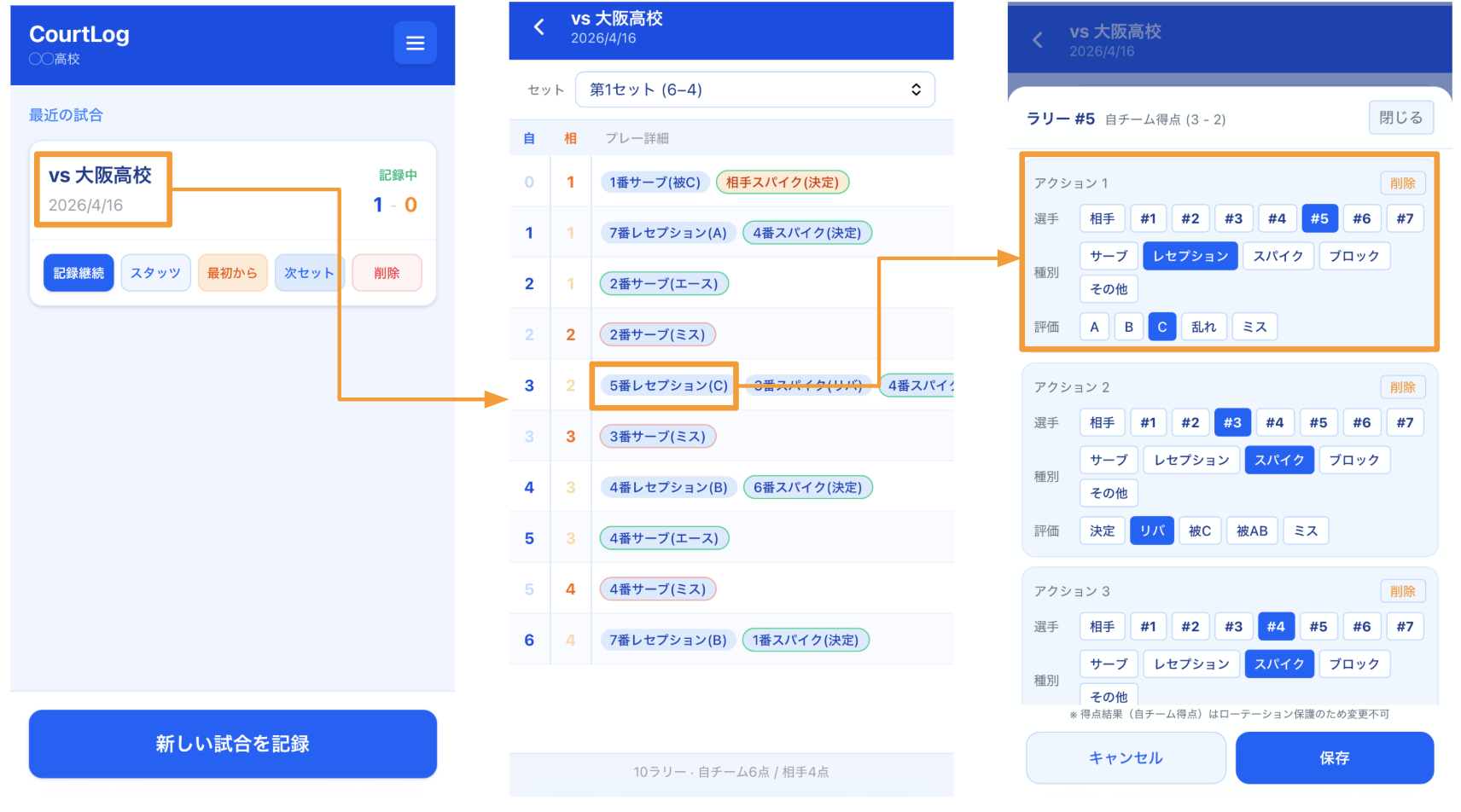
Use the set selector at the top to switch sets.
| Column | What it shows |
|---|---|
| Elapsed | Time from the first tap of the set to the first tap of this rally (MM:SS) |
| Us | Your team's score; a rally you won is highlighted in blue |
| Opp. | The opponent's score; a rally they won is highlighted in orange |
| Play details | Horizontally scrollable chips for the actions recorded in the rally |
Elapsed time
The first tap of the first rally is treated as 0:00. A set with no input yet, or a rally recorded by an older app version, may have no time shown.
Reading action chips
- Blue: your team's action
- Orange: the opponent's action
- Green outline: point-winning action
- Red outline: error
Chip format: #jersey action (evaluation), for example #3 Attack (Kill).
Correct a rally
Tap the play-details area of a rally. In the edit dialog, you can change the player, action, evaluation, and note. Notes entered during live input also appear in the rally row.
Insert a play
Tap the small + before an action chip to insert a play at that position. Use the first + to insert at the beginning.
Choose the team, player, action, and evaluation, then save.
Plays that affect the score
You can't insert a point or error. Only an action that continues the rally can be inserted. Later actions shift automatically.
Demo team
Demo matches are read-only, so they can't be edited.
The footer summarizes the number of rallies and points won by each team.